Parabini - User Guide
What is Parabini?
Parabini is an AI-powered platform for writing and designing books. The app supports you throughout the entire creative process – from drafting the plot and developing individual chapters to creating character portraits, outfit illustrations, and book covers. The AI handles the labor-intensive writing and image generation while you retain creative control.
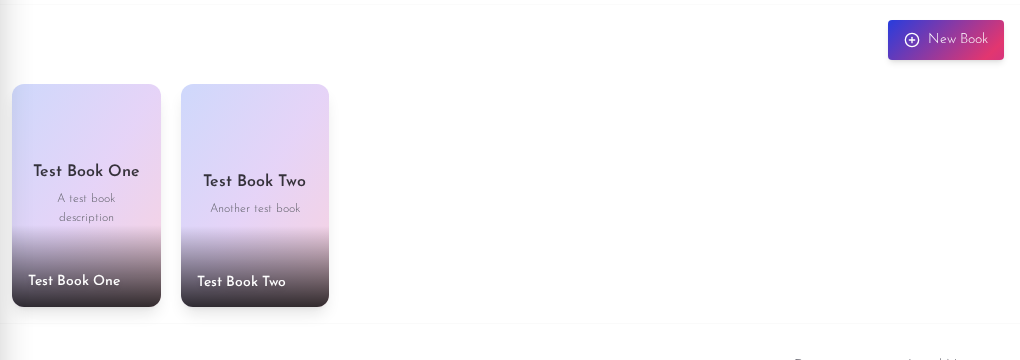
Detailed Guides
Click one of the following guides for detailed explanations with screenshots:
The Chapter Editor
Write and edit text, manage scenes, define plot points, use AI-powered improvements.
Characters & World Building
Create characters, locations, items, magic, and science, and link them to chapters.
Settings
Configure themes, AI models, account, subscription plans, and usage.
Book Export
Export as PDF, EPUB, or DOCX – formats and plan restrictions.
Versions & Summary
Change history, restore versions, and AI-powered chapter summaries.
Getting Started
Registration and Login
You can sign up in two ways:
- Email and Password – Classic registration with email verification
- Google Account – Quick sign-in via your Google account
After registration, you can immediately start creating your first book.
Delete Account
If you wish to delete your account, you can do so in the settings. After deletion, you have 30 days to restore your account before it is permanently removed.
Creating a Book
Basic Settings
When creating a new book, you provide the following information:
| Field | Description |
|---|---|
| Title | The title of your book |
| Description | What is your book about? A brief summary of the plot |
| Author | Your name or pen name |
| Genre | The genre (e.g. Fantasy, Crime, Romance, Sci-Fi) |
| Language | The language the book will be written in (e.g. German, English, French) |
Defining Your Writing Style
A key feature of Parabini is the ability to define your book's writing style in detail. The AI follows these guidelines when generating text, ensuring a consistent style throughout the entire book – no matter how many chapters you generate.
You can configure the following style parameters:
- Narrative Perspective – From which perspective is the story told? (e.g. first person, omniscient narrator, limited third person)
- Narrative Behavior – How does the narrator behave? (e.g. distanced, emotional, humorous, matter-of-fact)
- Time Structure – What is the temporal structure? (e.g. chronological, flashbacks, time jumps)
- Style Forms – Which stylistic devices are used? (e.g. detailed descriptions, concise dialogues, internal monologues)
- Style Example – A text sample in your desired writing style. The AI uses it as a reference to match your tone and style as closely as possible.
Tip: The more precisely you define the style, the more consistent the generated texts will be. The style example in particular helps the AI understand and maintain your individual writing style.
Book Structure
A book in Parabini is structured as follows:
Book
 ├── Chapters
 │    ├── Scenes (with locations)
 │    ├── Storyline Items
 │    ├── Paragraphs (the actual text)
 │    └── Summary
 ├── Characters
 │    ├── Portrait Image
 │    └── Outfits (with images)
 ├── Locations
 └── Cover Image
Chapters
Chapters are the main structure of your book. You can create, edit, delete, and reorder chapters.
Storyline
For each chapter, you define storyline items – short descriptions of what should happen in that chapter. These serve as the basis for AI text generation. Each storyline item should be 1–4 sentences long.
Scenes
Scenes divide a chapter into individual sections. Each scene has a name, a description, and is assigned to a location.
Characters
You create characters with:
- Name – The character's name
- Description – Personality and backstory
- Appearance – Physical description
- Behavior – Behavioral traits and quirks
For each character, you can have an AI-generated portrait image created.
Outfits
Characters can have different outfits. The AI generates three views for each outfit (front view, side view, back view) that are visually consistent with the character portrait.
Locations
Locations define the settings of your story. They can be assigned to scenes.
AI Features
Parabini uses powerful AI models for text and image generation. All AI operations consume credits (see the "Credits" section).
Text Generation
| Feature | Description |
|---|---|
| Generate Chapter | Creates the complete text of a chapter based on the storyline, scenes, and characters. |
| Edit Paragraph | Has the AI revise a single paragraph, e.g. to adjust the style or improve content. |
| Regenerate Text Section | Regenerates a specific section of the chapter while keeping the rest intact. |
| Regenerate Paragraphs | Regenerates selected paragraphs with seamless transitions to the surrounding text. |
| Chapter Summary | Creates an automatic summary of the chapter content. |
| Improve Storyline | The AI analyzes your storyline and suggests improvements – e.g. new plot points, rephrasing, or structural changes. |
How does the AI maintain style consistency?
The AI receives the full context of your book with every text generation:
- Book Settings – Title, genre, language, and all style parameters
- Chapter Context – Title and order of the chapter
- Scene Information – Name, description, and location of each scene
- Character Data – Complete descriptions of all involved characters
- Previous Summaries – What happened in the previous scenes
- Text Continuation – The last sentences of the previously generated text, to ensure seamless transitions
This allows the AI to maintain the narrative thread and your individual writing style throughout the entire book.
Image Generation
| Feature | Description |
|---|---|
| Character Portrait | Creates a photorealistic portrait image based on the character description. |
| Outfit Images | Generates three consistent full-body images (front, side, back) of a character in a specific outfit. |
| Book Cover | Creates a professional book cover in portrait format with title, atmospheric illustration, and author name. |
Visual Consistency
For outfit generation, the AI uses a reference image system: The character portrait serves as a reference, and each generated view is used as an additional reference for the next view. This keeps the character's appearance consistent across all images.
Credits – The Payment System
What are Credits?
Credits are the currency in Parabini used to pay for AI generations. Each text generation and image generation consumes a certain number of credits.
What are Credits used for?
Credits are required for all AI-powered features:
- Text Generation – Generate chapters, edit paragraphs, regenerate text sections, create summaries, improve storylines
- Image Generation – Character portraits, outfit images, book covers
Credit consumption depends on the complexity of the task:
- Text Generation is calculated based on the number of processed tokens (words/text units). A long chapter consumes more credits than a short paragraph edit.
- Image Generation is calculated based on the size of the generated image (in megabytes).
Subscription Plans and Pricing
You receive credits through a monthly subscription. The following plans are available:
| Plan | Price/Month | Credits/Month | Books | Chapters/Book | Change History |
|---|---|---|---|---|---|
| Free | Free | 0 | 3 | 30 | None |
| Base | €1.99 | 0 | 10 | 100 | 10 per chapter/character |
| Base Plus | €7.00 | 700 | 15 | 100 | 20 per chapter/character |
| AI Writer | €20.00 | 2,200 | 50 | 150 | 100 per chapter/character |
| AI Writer Plus | €49.90 | 6,000 | 100 | 200 | 200 per chapter/character |
- Free and Base do not include credits for AI generation – they are suitable for storing and organizing your books.
- Starting from Base Plus, you receive monthly credits that you can use for text and image generation.
- Unused credits expire at the end of the billing period.
Viewing Your Credit Balance
You can view your current credit balance at any time in the app:
- Credits used in the current billing period
- Remaining credits until the end of the period
- Usage percentage of your monthly limit
Changing Plans
You can upgrade or downgrade your plan at any time. When switching, you are billed proportionally (proration) – you only pay the difference for the remaining time in the current billing period.
Payment Processing
Payment is processed securely via Stripe. You can:
- Subscribe via the checkout page
- Manage your payment method and invoices in the billing portal
- Cancel your subscription at any time (it remains active until the end of the paid period)
Intellectual Property & AI-Generated Content
Who owns the generated content?
All texts and images that you create in Parabini or generate using AI belong to you. Parabini makes no ownership claims to your content and does not claim any share of revenue from publishing your books.
Can I commercially publish my books?
Yes, you may use all content created in Parabini – including AI-generated texts and images – for any commercial purpose. You can publish your books, sell them, offer them as e-books, or market them in any other way.
Is my content used for AI training?
No. Parabini does not use your content for training AI models. The AI providers we use (Anthropic, OpenAI, Google, and others) also do not use data submitted via their API services for model training by default.
Which AI providers does Parabini use?
For text generation, you can choose from various AI models: Anthropic (Claude), OpenAI (ChatGPT), Google (Gemini), xAI (Grok), and the open-weight model Gemma. You can select your preferred model in the settings. Anthropic is one of the few providers that offers copyright indemnification for API customers – meaning Anthropic will defend its customers against copyright claims related to AI-generated texts.
For image generation, OpenAI (GPT Image), Google (Gemini Image), and xAI (Grok Imagine) are used. All providers are used exclusively via API access where submitted data is not used for model training.
What do I need to know about copyright?
The legal landscape for AI-generated content is still evolving worldwide. Under current law (including US Copyright Office guidance and EU regulations), purely AI-generated texts may not enjoy full copyright protection. What matters is the human creative contribution – your creative revision, selection, and design.
Recommendation: Use AI-generated texts as a foundation and refine them with your own creative touch. The more you contribute yourself – through editing, additions, restructuring, and your own phrasing – the stronger your copyright claim. Parabini specifically supports this workflow through features like paragraph editing, text regeneration, and manual editing.
Is AI-generated content unique?
AI models may generate similar text passages or images for different users. Exclusivity of outputs therefore cannot be guaranteed. However, through the unique combination of your writing style, characters, plot, and post-editing, your book will still be unique.
Frequently Asked Questions
Can I use the app without a subscription?
Yes, with the free plan you can create and organize up to 3 books. However, for AI generations (text and images), you need a plan with credits (Base Plus or higher).
What happens when my credits run out?
Once your credits are used up, you cannot perform any more AI generations until the next billing period. However, you can continue to work manually on your books or upgrade to a higher plan.
In which languages can I write books?
The app supports multiple languages. The language is set per book, and the AI generates all texts in the chosen language. Common options include German, English, French, and more.
How closely does the AI follow my writing style?
The AI receives the full context of your book with every generation, including all style parameters and the style example. The more detailed you fill in these settings, the more precisely the AI matches your desired style. Additionally, chapter summaries and text continuations ensure the narrative thread is maintained across multiple chapters.
Can I edit generated texts afterwards?
Yes, you can manually edit any generated text or have the AI revise individual paragraphs. You always have full control over the content.
What does a typical chapter generation cost?
The cost depends on the AI model used and the text length. As a rough guide: A chapter with multiple scenes typically consumes between 1 and 10 credits. You can see the exact costs after each generation in your usage overview.